preview.yourbusiness.com
Northstar.Start a project

A clearer way forward

Make the complex feel simple.

Strategy, systems, and a website your best customers can understand in one glance.

What changes?01 / 03
Explore the system↗

Web experiences

Websites people want to explore

Monday, 9:41 AM

Good morning, Maya

Open requests

28

↑ 14% this week

Avg. response

3.2h

Target: 4h

AI saved

19h

this month

Workflow volumeLast 30 days
AI queueLive
Draft replyRoute intakeNeeds review

Custom applications

An app shaped around your work

agent room4 active workflows
AI coordinator
Inbound
CRM
Human review
Follow-up
Next action: draft a responseready for review →

AI agent systems

Agents that move work forward

accounting automation6 apps · 1 clean ledger
QuickBooks
Xero
Stripe
accounting layer
PayPal
Shopify
Google Sheets
Receipts
payments matchedexceptions ready for review →

Accounting automation

Transactions become cleaner books

concierge lineCall in progress

Ava · voice agent

00:42 · inbound

MuteEnd call
Live transcriptListening
Action taken
Appointment held for human confirmation

Voice agents

A voice agent that actually helps

PROJECT PARTNER · CLIENT HQ DAY 14 · WORKING WITH YOU

A partner for the custom work your business needs.

D+1

Learned how the team works and where the project gets stuck

D+4

Built the first useful version with the tools you already use

D+9

Fixed the real-world snag the team found

D+14

Still here, making it better as the business uses it

Your process Real tools Ongoing help

AI Forward Deployed Engineering

A project partner who stays until it works

studio / avatar presenterDraft
AI presenter preview for a client onboarding video
Preview00:18

Digital avatars

A human face for your knowledge

Website Design
Automation
AEO/SEO

Custom AI
systems built for
businesses

SMB Max is a custom AI systems agency for small businesses across the United States. We design websites, custom apps, voice agents, automations, and secure data workflows around the way your team actually works.

Discuss your workflow

Built around the way you work

Websites
Automation
Training

Pick the workflows that need help — leave the rest alone

Marketing

Attracting and nurturing leads.

SEO/AEO websites · Instagram/Facebook/TikTok · Google Ads

Lead scoring, drafted follow-ups, on-site chat capture

Sales

Turning leads into customers.

CRM pipeline · PandaDoc · Calendly

Call summaries, auto quote drafts, follow-up sequencing

Customer Service

Supporting customers after the sale.

Zendesk/Intercom · knowledge base · phone

Ticket triage, drafted replies, or a custom voice agent for calls

Back Office

Running the business day to day.

QuickBooks · ServiceTitan/Dentrix · Google Workspace

Document/invoice extraction, intake-to-record automation

Security & Compliance

Applies across every department above.

HIPAA · BAA-supporting vendors · SOC 2

Not a department — a layer that touches all of them.

See the full systems breakdown

Marketing systems designed toget found

New sites and redesigns, built for SEO and AEO
Instagram, Facebook, and TikTok — organic and paid
Marketing workflows automated with Claude and ChatGPT

Usually the first system we build — everything downstream depends on people finding you in the first place.

Web design

Sites that don't look like a template

A few directions your site could take — every one built fast, still fully custom.

TERRA🛍️

12 Coffee Blvd, Austin
Mon–Sun · 7am–6pm

TERRA

A cozy place to slow down with small-batch, honestly-sourced coffee.

Find your roast

Opening hours

Mon–Fri7:00–18:00
Sat–Sun8:00–16:00

SEO + AEO ready by design

Get found on Google. Get recommended by AI.

We structure your site so search engines and AI tools can quickly understand, trust, and surface your business.

ChatGPT Example

Customer asks

“Who can repair my AC today in Austin?”

1

Northline Air

Best match

Same-day service

2

Hill Country HVAC

Nearby

4.8 rating

3

Cool & Clear

Trusted

Upfront pricing

Example only — actual recommendations vary by platform and query.

Perplexity Example

Customer asks

“Best family dentist accepting new patients?”

1

Oak & Elm Dental

Top pick

New patients welcome

2

Kindred Smiles

Convenient

Evening hours

3

Parkside Dental

Local

Family care

Example only — actual recommendations vary by platform and query.

Gemini Example

Customer asks

“Where should I book a strategy retreat nearby?”

1

Fieldhouse Retreats

Top pick

Team packages

2

Juniper House

Popular

Private meeting rooms

3

Workshop Hotel

Value

All-inclusive

Example only — actual recommendations vary by platform and query.

Claude Example

Customer asks

“Which local attorney handles complex business disputes?”

1

Hale & Voss

Strong match

Commercial litigation

2

Redwood Legal

Established

20+ years experience

3

Mason Street Law

Responsive

Clear consultation process

Example only — actual recommendations vary by platform and query.

Customer Service

Use AI where support can't afford to wait*

From question to completed action

Give customers an answer and a useful next step.

The voice agent can carry the conversation, work inside defined rules, and bring in a person when the call needs judgment.

Answer calls, take orders, and book appointments

Pull accurate answers from your knowledge base

Route exceptions and follow-up to the right person

Prepare summaries and replies for human review

Live call · inbound

00:42

AvaVoice agent

Customer service concierge

Ava speaking

Live transcript

Listening…

Current order

—

Action

Listening…

01

Answers

02

Builds order

03

Takes payment

04

Confirms

Connects with the support stack you already use

ZendeskFreshdeskHelp ScoutIntercomDriftElevenLabs Voice AI

*AI acts within defined tasks, review points, and the approval rules you set — including any charge or booking.

Systems by department

What each part of your business typically runs on, and where a custom system fits.

Every business divides its work the same broad way — and you don't have to touch all of it at once. If a department is already working well, we leave it alone and scope the engagement to the one piece that isn't.

Security & Compliance — across every department here

Privacy and security are part of the design, not a checkbox at the end.

For healthcare and other regulated businesses, workflows and data pipelines can be designed using vendors and infrastructure that support the frameworks that actually govern them:

HIPAA compliance

Administrative, physical, and technical safeguards for protected health information.

BAA-supporting vendors

The contractual layer — a full Business Associate Agreement — that makes HIPAA-conscious work possible with third-party tools.

SOC 2 (Type I/II)

Vendor due diligence when choosing SaaS tools for a client's stack, and a path toward SOC 2 for the systems we deliver.

Secure intake forms and protected data handling
Role-based access controls and audit logging
Compliant integrations and safer handoffs
AI-enabled processes with deliberate guardrails

This is not a claim of legal certification or a guarantee of HIPAA compliance or SOC 2 attestation. Compliance requirements are translated into practical workflow, data, access, and vendor decisions, subject to client, vendor, and counsel review.

Everyday work becomes automation your team can trust.

Marketing automation

New leads become timely follow-up

Collect leads from forms and ads, enrich the record, assign an owner, and start the right follow-up without manual entry.

Capture → qualify → nurture

Zapier logoHubSpot logoMailchimp logoMeta logoInstagram logoSalesforce logo

Email automation

Busy inboxes become clear next steps

Sort incoming messages, draft replies, create tasks, schedule meetings, and alert the right person when a human decision is needed.

Message → route → respond

Gmail logoMicrosoft Outlook logoSlack logoMicrosoft Teams logoCalendly logoDocuSign logo

Accounting automation

Transactions become cleaner books

Move payment and sales data into accounting, organize receipts, flag exceptions, and keep finance reports ready for review.

Payment → reconcile → report

QuickBooks logoXero logoStripe logoPayPal logoShopify logoGoogle Sheets logo

Back-office automation

Internal requests become tracked work

Route requests, collect approvals, update shared records, store files, and keep teams informed without another status meeting.

Request → approve → complete

Microsoft Teams logoNotion logoAirtable logoGoogle Drive logoMicrosoft SharePoint logoDropbox logo

Reporting automation

Scattered data becomes one clear view

Bring sales, marketing, and operating data together, refresh dashboards, and send the numbers people need on schedule.

Collect → clean → summarize

Google Sheets logoMicrosoft Excel logoGoogle Analytics logoPower BI logoHubSpot logoAirtable logo

Customer operations

Customer activity becomes coordinated service

Connect orders, conversations, appointments, and documents so every customer gets a consistent handoff from one team to the next.

Purchase → support → retention

Shopify logoZendesk logoIntercom logoWhatsApp logoCalendly logoDocuSign logo
Talk through your automations

What can a custom sales system do?

A strong sales system keeps every opportunity moving: new leads are captured, qualified, assigned, and followed up with before momentum disappears.

We connect your forms, inbox, CRM, calendar, and proposal tools, then add AI where it can help your team prepare, personalize, and act—without taking judgment away from the people closing the deal.

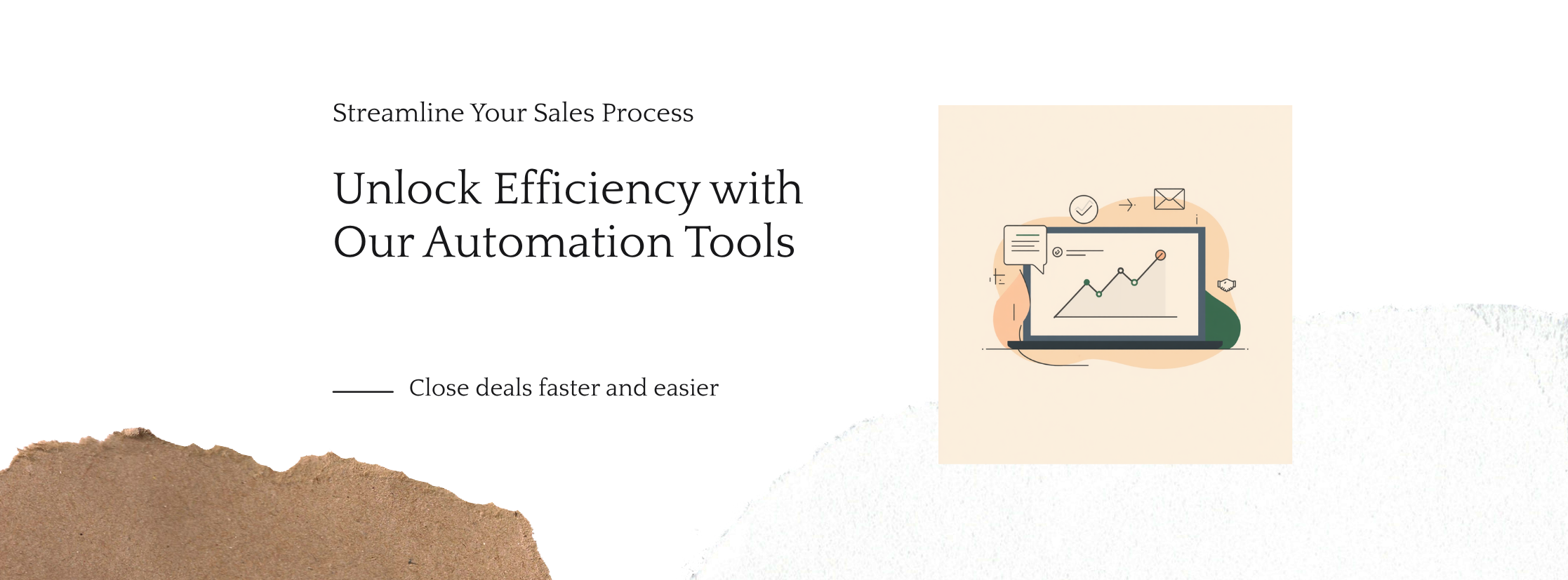
Unlock efficiency with automation tools for a faster, easier sales process

Designed around your sales process—not a generic funnel or a disconnected collection of tools.

Where can your sales system create leverage?

Lead captureBring every form fill, call, and campaign response into one clean, actionable lead record.
Top of funnelfor faster response and
cleaner qualification
Pipeline managementKeep owners, next steps, notes, and deal stages current without chasing manual updates.
Sales visibilityfor a pipeline your team
can actually trust
Proposals & schedulingTurn qualified conversations into meetings, quotes, approvals, and signatures with less friction.
Deal momentumfor smoother handoffs from
interest to decision
AI-assisted follow-upPrepare relevant emails, call summaries, and next-step reminders for human review and delivery.
Personalized follow-upfor more consistent action
without losing the human touch
Consultation options

Start with a conversation, not a contract

Every call is a flat, one-time fee — whether it's AI automation, web design, or sales systems. We help build your package and work with your budget.
Best first step
Discovery Call
A short, no-pressure call to understand your business and see where AI automation, web design, or sales process improvements could have the biggest impact.
15-minute call
Free
one-time · no cost
Book free call
Go deeper
Strategy Call
A focused session to map your current workflows, website, and sales process, and talk through where automation or a redesign could save the most time and money.
30-minute call
$50
one-time fee
Book & pay $50
Full breakdown
Deep-Dive Call
A full working session covering your workflows, website, sales systems, and data in detail, ending with a clear plan and rough scope for what a build would look like.
1-hour call
$80
one-time fee
Book & pay $80
For healthcare and regulated workflows, vendor and infrastructure choices can be planned around full BAA support.

A practical roadmap for your AI system

Workflow discovery before build decisions
Secure architecture for data, access, and integrations
Clear build plan based on your team's real operation
Phase 1: Workflow discovery and system map
DiscoveryProcess audit

We map how work actually moves through your business: people, tools, decisions, data, approvals, exceptions, and risk points. The outcome is a clear view of where custom software, automation, AI, or better data handling can create the most leverage.

Phase 2: Product design and technical architecture
DesignPrototype

We turn the workflow into screens, roles, data models, integration paths, and an implementation plan. For regulated workflows, this is where vendor choices, access controls, audit logging, and BAA-supporting infrastructure are planned into the system.

Phase 3: Custom build and integration
BuildWorking system

We build the application, website, portal, database, pipeline, or integration in useful increments. AI is added only where it supports a defined step, such as extracting, routing, summarizing, drafting, or preparing information for human review.

Phase 4: Launch, documentation, and iteration
Launch

1. Production deployment and access setup
2. Data handling, monitoring, and audit trail review
3. Team handoff, documentation, and training
4. Post-launch fixes and prioritized improvements
5. Optional maintenance and support plan

Build around your team, tools, data, and security needs

The work is collaborative and concrete: workflow interviews, screen reviews, data mapping, secure implementation, and practical handoff for the people who will use the system.

See the build process

See the kinds of systems we can shape.

Every business has a different workflow. Explore examples of websites, voice agents, marketing and sales automation, bookkeeping systems, custom apps, and AI training built around real constraints.

Explore example projects
preview.yourbusiness.com
Northstar.Start a project

A clearer way forward

Make the complex feel simple.

Strategy, systems, and a website your best customers can understand in one glance.

What changes?01 / 03
Explore the system↗

Web experiences

Websites people want to explore

A polished public site can be the front door to your whole operating system—not just a brochure.

WebflowFramerSEO + AEO
Discuss a similar system

Monday, 9:41 AM

Good morning, Maya

Open requests

28

↑ 14% this week

Avg. response

3.2h

Target: 4h

AI saved

19h

this month

Workflow volumeLast 30 days
AI queueLive
Draft replyRoute intakeNeeds review

Custom applications

An app shaped around your work

Dashboards, portals, and internal tools that make the next best action obvious to your team.

ReactLovableCodex
Discuss a similar system
agent room4 active workflows
AI coordinator
Inbound
CRM
Human review
Follow-up
Next action: draft a responseready for review →

AI agent systems

Agents that move work forward

Connect the tools you already use, add clear review points, and let AI handle the repeatable parts.

ClaudeOpenAIHuman review
Discuss a similar system
accounting automation6 apps · 1 clean ledger
QuickBooks
Xero
Stripe
accounting layer
PayPal
Shopify
Google Sheets
Receipts
payments matchedexceptions ready for review →

Accounting automation

Transactions become cleaner books

Move payment and sales data into accounting, organize receipts, flag exceptions, and keep finance reports ready for review.

QuickBooksXeroStripe
Discuss a similar system
concierge lineCall in progress

Ava · voice agent

00:42 · inbound

MuteEnd call
Live transcriptListening
Action taken
Appointment held for human confirmation

Voice agents

A voice agent that actually helps

Answer routine questions, qualify a caller, book the next step, and hand off the moments that need a person.

ElevenLabsTwilioCRM
Discuss a similar system
PROJECT PARTNER · CLIENT HQ DAY 14 · WORKING WITH YOU

A partner for the custom work your business needs.

D+1

Learned how the team works and where the project gets stuck

D+4

Built the first useful version with the tools you already use

D+9

Fixed the real-world snag the team found

D+14

Still here, making it better as the business uses it

Your process Real tools Ongoing help

AI Forward Deployed Engineering

A project partner who stays until it works

Someone works alongside your team, learns how the business really runs, builds with your tools, and keeps improving the system after launch.

Alongside your teamReal toolsAfter launch
Discuss a similar system
studio / avatar presenterDraft
AI presenter preview for a client onboarding video
Preview00:18

Digital avatars

A human face for your knowledge

Turn onboarding, education, and customer communication into clear, repeatable video experiences.

SynthesiaMultilingualVideo
Discuss a similar system

Showing Web experiences: Websites people want to explore

What a strong AI systems engagement should feel like

Workflow-first

We start by understanding how work gets done before recommending software, automation, or AI.

Custom build

The deliverable can be an app, portal, website, database, integration, data pipeline, or connected system.

Security-aware

Access controls, audit trails, protected data handling, and vendor fit are part of the design conversation.

Practical handoff

Your team gets documentation, training notes, and a maintainable path for iteration after launch.

Built for operational clarity, not tool sprawl

Delivery promise

We build systems around real workflows, not generic automation templates.

1Understand the work, the people, the data, and the exceptions before choosing technology.
2Design access, security, integrations, and AI guardrails around the actual process.
3Ship a usable system with documentation, handoff, and a plan for practical iteration.

Strong delivery depends on
clear scope, security, and
practical documentation.
Start with a workflow call

Regulated work needs
deliberate safeguards

For HIPAA-conscious and regulated projects, privacy, protected data handling, access controls, audit logging, and BAA-supporting vendors are considered from the beginning.

Beyond connecting tools

Build the system your workflow has been asking for.

Off-the-shelf automation is useful when it fits. But many businesses need more: an application, a portal, a database, a dependable integration, or a secure layer around an existing process.

The work starts by understanding the process first—then making the data, decisions, access, and user experience work together.

What we build

Systems that remove friction without replacing the way your team thinks.

01

Custom applications

Purpose-built web software for the work no generic platform handles well.

02

Internal portals

Clear, role-aware places for staff to manage tasks, information, and decisions.

03

Data & integrations

Databases and pipelines that make critical data usable across the tools you keep.

AI-enabled processes

Assist the work. Keep people in control.

AI works best as a specific, supervised part of a real workflow: summarizing, routing, extracting, drafting, finding, or preparing—not as an unexamined black box.

Websites that do real work

A public front door connected to your operation.

From secure intake to client portals and operational handoffs, the customer experience can be part of the same thoughtful system.

Website and visibility services

Build the site, keep it useful, and help customers find it.

SMB Max connects website design, ongoing maintenance, technical SEO, answer engine optimization, conversion improvements, and practical follow-up. Choose the service that matches where your business is now, then expand only when the next improvement is justified.

Design and growth

Small business website design

Custom websites built around search visibility, AI discovery, trust, and a clear path from visit to inquiry.

Explore website design

Ongoing visibility

Website maintenance, SEO, and AEO

Keep your site secure, fast, accurate, and understandable across Google search and AI answer tools.

Explore website maintenance

A stronger next version

Website redesign services

Replace an outdated or underperforming site with clearer messaging, stronger conversion paths, and search-aware migration.

Explore website redesigns

Built for HVAC

HVAC website design

Mobile-first HVAC websites that help contractors turn local searches into calls, service requests, and booked jobs.

Explore HVAC website design

Never miss the call

HVAC AI receptionist

A 24/7 answering service that handles after-hours calls, captures job details, and follows your booking rules.

Explore the HVAC answering service

How we work

Start with the workflow—not the software pitch.

  1. 01

    Understand the current work

    Map the people, steps, decisions, exceptions, and information that make the workflow real.

  2. 02

    Make the system visible

    Turn the work into a clear concept for data, permissions, screens, integrations, and AI assistance.

  3. 03

    Build in useful increments

    Prioritize the highest-value pieces, test them with the people who will use them, and make the result maintainable.

What does SMB Max build?

SMB Max designs and builds custom AI systems for small and medium-sized businesses. Projects can include custom applications, websites, internal portals, databases, integrations, marketing automation, secure data pipelines, and AI-assisted workflow steps.

What is a custom AI system?

A custom AI system combines software, data, integrations, and carefully chosen AI capabilities around a specific business workflow. It is designed for the people, decisions, tools, and controls your operation already depends on instead of forcing the work into a generic product.

Can you work with software we already use?

Yes. A custom system does not need to replace every tool. SMB Max can preserve what already works, connect the missing pieces, and create the interface, data layer, or AI-assisted process your team needs.

How is AI used in these systems?

AI is added where it supports a defined workflow step, such as extracting information, summarizing records, drafting responses, searching internal knowledge, routing tasks, or preparing decisions for human review. Data access, review points, and guardrails are part of the design.

Can you design HIPAA-conscious workflows?

For appropriate regulated projects, workflows and data pipelines can be designed around vendors and infrastructure that support a Business Associate Agreement. This can include protected data handling, role-based access, audit logging, compliant integrations, and privacy-aware AI processes.

What should I bring to the first conversation?

Bring the process you want to improve, the people involved, the tools and data already in use, the main friction points, and any privacy, compliance, or security constraints. That is enough to begin mapping a sensible next step.

Does every project start with a full build?

No. Many projects should begin with a workflow audit or prototype so scope, risk, and return are clearer before a larger build. When the need is already well defined, a project can move directly into design and implementation.

What happens after launch?

A launch can include documentation, team handoff, training notes, access setup, bug fixes, and an optional support plan for maintenance, monitoring, new integrations, and workflow improvements.

Privacy & analytics

What we collect and why.

SMB Max uses Google Analytics 4 and the Meta Pixel to understand website traffic, ad performance, and interactions such as page views, form starts, successful submissions, and clicks to external booking pages. We do not intentionally send names, email addresses, phone numbers, form text, quiz answers, or booking details to those analytics tools.

When you submit a form or the HVAC Lead Leak Test, we use the contact details and answers you provide to deliver the requested result, respond to you by email or text, and prioritize follow-up. Those submissions are stored in Airtable. If you choose to book a review, Cal.com receives the booking details you submit there. A booking-page click records interest, not a completed appointment.

We keep submitted information only as long as needed for follow-up and business records. You can ask to access, correct, or delete your information, or opt out of future contact, by emailing support@smbmax.ai.